Showing posts with label FB Cover. Show all posts

Saturday, March 28, 2015

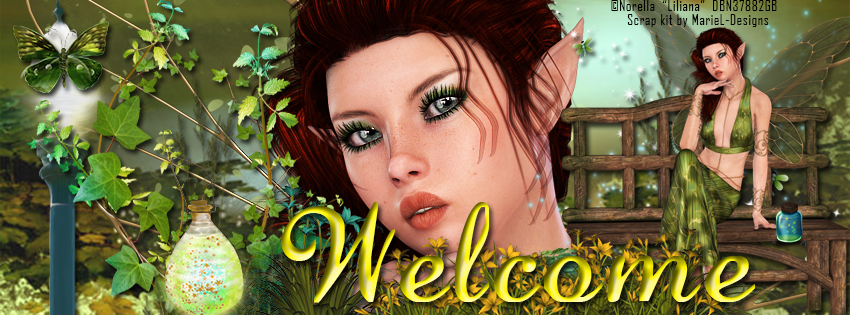
CT Tags featuring "Liliana" and "Fairy Spring"

Today's tags feature the beautiful fairy "Liliana" by Designs by Norella and the beautiful made-to-match kit "Fairy Spring" by MarieL-Designs.

Liliana is a gorgeous fairy which is perfect for your spring and summer fantasy tags. This beauty can be used with or without the bench. She is PTU and available for purchase at Designs by Norella's store.


This fantasy spring PTU kit by MarieL-Designs is full of bright fantasy items.  The kit includes 14 papers ranging from full scene backdrops to beautiful complimentary  patterns, 4 fabulous frames, and 75 fantasy elements.  Available at the following stores: Inzpired Creationz, Inspirations of ScrapfriendsBubble's Dream,  Scraps N Company, Render Art World, and Sensibility Scrapping.
Below are two sample tags made using the fabulous combination and a snaggable timeline cover.


Wednesday, October 15, 2014

CT Tutorial for Nightborne and The Soul Keeper plus Bonus FB Cover

**This tutorial was written using Photoshop CC. I believe the instructions should work with various other versions, but they are not tested on any other version.  This tutorial is my own creation.  Any similarity to any other tutorial is not done purposely or knowingly (aside from the fact that the process is pretty similar in most tutorials).  If you do not know how to do some of the things I mention here (like mirroring an image, adding a drop shadow, resizing elements, etc.), check out my “Tips and Tricks” tutorial. **

Supplies:
PTU Poser – “Nightborne” by English Rose Designs.  You can purchase this Halloween cutie at her store, English Rose Designs.

PTU Kit - “The Soul Keeper” by MarieL-Designs.  Available at Scrappin Dollars ,  and Scraps & Co.

FTU Mask - "Mask 06 – Fireball” by Aeval Amore.  Available on my blog, Aeval’s Art.

Abbreviations:
DS – Drop Shadow

Settings I use:
DS Settings - Blend Mode set to Multiply, Opacity set to 75%, Angle set to 120 degrees, Distance 5, Spread 0, Size 5

Ready…..Set….Tag!
Open Paper 6 in a new canvas.  Double click on the layer to unlock it.

Add the Mask to the canvas and resize if needed so it is the same size as the paper.  Then drag the mask layer below the paper layer.

With the mask layer selected, select all (Ctrl + A) and copy the entire canvas (Ctrl + C).  You will see dashed lines surround the canvas. 

Click on the paper layer to activate it, then turn on quick mask (Press the Q key on your keyboard).  The dashed lines will disappear and that is ok.  Next Paste onto the paper (Ctrl + V) and turn your Quick Mask off (Q again). 

You will now see a dotted outline of the mask on your paper.  Press the button on the bottom of layers side bar that is a rectangle with a circle cut out of it.  The mask will now show. 

Right click on the paper layer and select Convert to Smart Image.  This releases just the mask.  The background layer of the mask will become invisible on its own.

Open a new canvas (Ctrl +N) 700 x 700, transparent background.  This will be referred to as the working canvas in my directions when switching between canvases.

Add the paper/mask combination from above to the working canvas.  Resize so that the width is a little more than half the width of the canvas.   Position on the right hand side at the top.  Right click on the layer and select “Duplicate Layer” and click OK.  Move the duplicated layer to the left side of the canvas.  The two masks should overlap.

Add Element 68 to the canvas.  Resize to fit the width of the canvas and position at the top of the tag.  Duplicate this layer as well.  Using the Menu Bar select Edit > Transform > Flip Horizontal to flip the element horizontally.  This will create a bit more coverage at the bottom of the tag.

Add Element 20 to the canvas.  Resize to your liking and position on the left hand side above the road.  The element should fill the area from the road to the top of the canvas on the left side.  Add DS.

Add Element 55 to the canvas.  Resize to fit the width of the canvas.  Position in front of the previous element so the moon shows above the scary house.  Add DS.

Add Element 62 to the canvas.  Resize to fit the width of the canvas.  Position in the center of the canvas.  Change the Opacity of the layer to 81%.  Duplicate the layer and move the duplicated layer above the original one to fill in the gap at the top.  The two layers will overlap.

Add Element 58 to the canvas.  Resize to fit the width of the canvas.  Position on the road in front of everything else.  Leave about ¼ of the canvas showing at the bottom as a floor.  Add DS.

Add the full poser to the canvas.  Resize to fit the canvas and position on the left side of the canvas.  Add DS. 

Voila!  The focal point of your tag is now created.

Now decorate your tag with any of the dark elements from the kit.  Resize the elements as you add them to fit the proportions of your tag.  Experiment with rotating them and mirroring them for more variety.  In addition duplicate elements and use multiple times to fill in holes and add more pizzazz.  In this tutorial to indicate when I used more than one of the same element I will add (X#) by the name to indicate how many versions of the element I used. 

Here are all the additional elements I used from the bottom layers up.

  • Element 66
  • Element 67
  • Element 74
  • Element 99
  • Element 21
  • Element 32
  • Element 1
  • Element 3
  • Element 13
  • Element 16
Add your license and copyright info to the tag.

Add name and any other text of choice.

Save as PNG and go share with all your friends!

Thank you for trying my tut! I’d love to see how your tags turn out so if you like what you made, please post a copy here or show me on Facebook!


Sunday, August 3, 2014

CT Tag Show off for PTU Poser Marian and matching Kit

CT Tags showoff for Designs by Norella's PTU Poser Marian and matching scrap kit by Amy Marie!

CT Tags showoff for Designs by Norella's PTU Poser Marian and matching scrap kit by Amy Marie!

PTU Poser Marian available for purchase at Designs By Norella store:

Made to match PTU Kit "Marian" available for purchase at Amy Marie's store:


Bonus snaggable FB Cover!


Sunday, July 13, 2014

New FTU Cover to match CT Tutorial Anna by English Rose Designs


New FTU FB Cover!  I made this to match the tag created using the tutorial for the tag below featuring Anna by English Rose Designs:
You can find a copy of the tutorial with all supplies and links needed here.
If you want to make your own tag design, you can purchase Anna from the English Rose Designs website here.

Monday, May 19, 2014

Snaggable Facebook Cover - Match to Steampunk Lover CT Tag


FTU Snaggable Facebook Cover.  Match to the CT Tag tutorial for PTU Kit "Steampunk Lover" by Dance In The Rain.  Tutorial can be found here.

Sunday, May 18, 2014

New Snaggable FB Cover for Dark Queen by Michelle's Myths


New snaggable FB Cover which matches the CT Tag for Michelle's Myths PTU kit "Dark Queen".  You can find the tutorial to make the matching tag here.  Enjoy!

Friday, May 9, 2014

Tuesday, May 6, 2014

Another Snaggable FB Cover


Snaggable Facebook Cover to match the tag featured in my Lagoon Breeze tutorial which you can find here

Features the PTU Kit "Lagoon Breeze" by Bookworm Dezines and the PTU Poser "Gabby" by Designs by Norella.

Wednesday, April 30, 2014

FTU Collection of 14 snaggable FB Timeline Covers


Enjoy the covers!  These are some snaggable ones I've made over the past year.  Please feel free to leave some love if you'd like to see more of them.


Monday, April 14, 2014

Snaggable Easter Timeline Cover


Snaggable FB Cover to match my Easter tutorial featuring Michelle Myth's kit "Hoppy Easter" and Designs by Norella's poser "Buffy".  You can find the tutorial to make a matching tag here.

Tuesday, March 25, 2014

2 More Spring Facebook covers


Two new spring Facebook covers featuring the scrap kits of Bookworm Dezines!

Saturday, March 22, 2014

Spring FB Cover Snaggable


New Spring Timeline Cover featuring Spring Petals kit by Bookworm Dezines and Marian poser by Designs by Norella.  I also have a tutorial posted  to make a matching tag using this combination:

http://aevalsart.blogspot.com/2014/03/ct-tutorial-for-spring-petals.html

Sunday, March 9, 2014

Dark FB Timeline Cover Trista


Dark new FB Timeline Cover featuring Gothic poser Trista by Designs By Norella.  I have a tutorial posted to make a matching tag too.  Trista is for sale at PicsForDesign for only $1!

The kit I used for this one is also available from PicsForDesign and is Gothic Valentine by Dzinesbymelz.

Dainty Spring FB Timeline


Beautiful new snaggable FB Cover featuring the beautiful hand-drawn tube "Dainty" by Ishika Chowdhury.  This is a perfect cover for Spring or Summer.

Dainty is available exclusively at Mystical Scraps.

The kit I used is a beautiful spring themed kit by PinkParadox Productions called "Hint of Spring" and is available exclusively at PinkParadox Productions.  This kit and many more are currently on sale for 30% off too.


Tuesday, March 4, 2014

St Patty's Facebook Cover Snags


Just thought I'd offer up some snaggable Facebook covers for those who want to celebrate St Patrick's Day!

Monday, February 3, 2014

Snaggable Valentine Cover


New snaggable Valentine's Day cover made using Anna Liwanag's beautiful tube Rockish from CDO and the kit is "Dark Valentine" by Rissa's Designs.

Saturday, January 25, 2014

Snaggable FB Cover


New snaggable FB cover!!  This one uses Barbara Jensen's tube Satin Seduction (Layered-49-3) and Amy Marie's Kits kit "Pretty Princess".  Enjoy!!